

CATEGORY
THE ARCHIVE
Still on the menu.
We haven’t added a story for that craving yet.
Try another place or dish.
A NOTE FROM JO PIGGY
A little curiosity.
A very big appetite.

Hi, I’m JO PIGGY. Think of Pig Out Korea as a friend who enjoys reading the reviews almost as much as you enjoy planning the next meal.
We bring together Korean food stories, neighborhood discoveries, and local reviewers’ perspectives for travelers with an appetite for more.
Our archive is built from research and linked sources. We don’t pretend we’ve eaten every meal ourselves. We help you find the places you’d like to try.
Let’s find your next bite ↗Contact
A question, a local tip, or just a hello?
bravora2026@gmail.comNAVER Map for Korea: Find Restaurants, Read Reviews and Get Directions
A useful app to have before your trip
A restaurant looks promising in a photo, but searching its name brings up several similar places. You still need to check the branch, see whether the menu is current and work out how to get there from your accommodation.
NAVER Map brings those tasks together. You can look up a restaurant, read visitor feedback, open longer Korean blog posts and then check the route. This guide focuses on using those features to choose where to eat.
Why we recommend it alongside Google Maps in Korea
Even if Google Maps is your usual choice, NAVER Map is worth installing for a trip to Korea. For checking local restaurant details, Korean visitor reviews and linked blog posts before planning the journey, it can be more useful.
That recommendation is about the restaurant-search process. If an English name does not return the place you want, try copying its Korean name or full address into NAVER Map. Official app listing · Naver’s review information
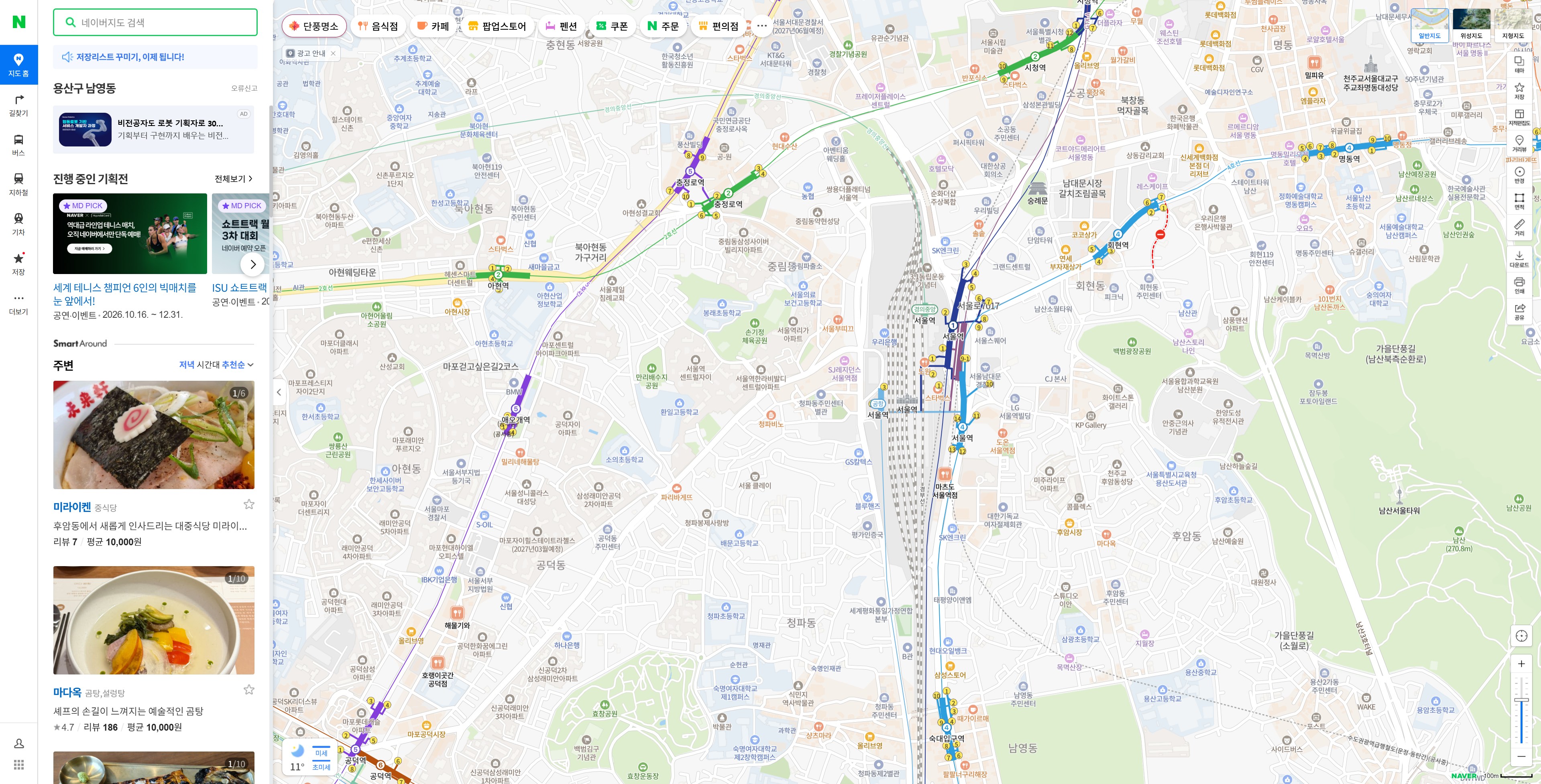
What you can do in NAVER Map
Check a restaurant and its reviews
Start with the restaurant’s name, branch and address. Two businesses can have similar names, and a main branch and an outpost may serve different menus.
Then check menu photos, opening hours and closed days. Place pages may offer visitor reviews and links to longer blog posts, although the available information varies by business.
For a restaurant that requires a long trip, check its latest notice or contact it before setting off. A map listing may not reflect a temporary closure or a last-minute change.
Turn the choice into a route
NAVER Map offers public-transport, driving and walking directions. Its official app listing also describes real-time transit information, navigation, street views and saved places. NAVER Map on Google Play
For a dinner plan, enter your accommodation as the starting point. Compare transfers and the final walk as well as the estimated journey time. A restaurant that looks close on the map may still involve crossing a major road or climbing a hill. Where street view is available, checking the building and entrance can help.
Treat arrival estimates as planning information. Traffic, delayed buses and time spent finding an entrance can change the journey.
What makes its restaurant reviews useful
Reviews are easier to assess when you can look for signs of the visit behind them.
Naver’s MY Place service supports payment verification using receipts or payment records. Its help page states that reviews of businesses where payment is possible, including restaurants and cafés, require payment-verification records to appear in Place search. That offers one clue about whether a visit took place. Naver’s verification guidance
Verification does not guarantee an impartial opinion or make one person’s taste match yours. Review events, complimentary items and the timing of a visit can also affect what a writer says. Use several reviews together rather than treating a verification process as a universal reliability ranking.
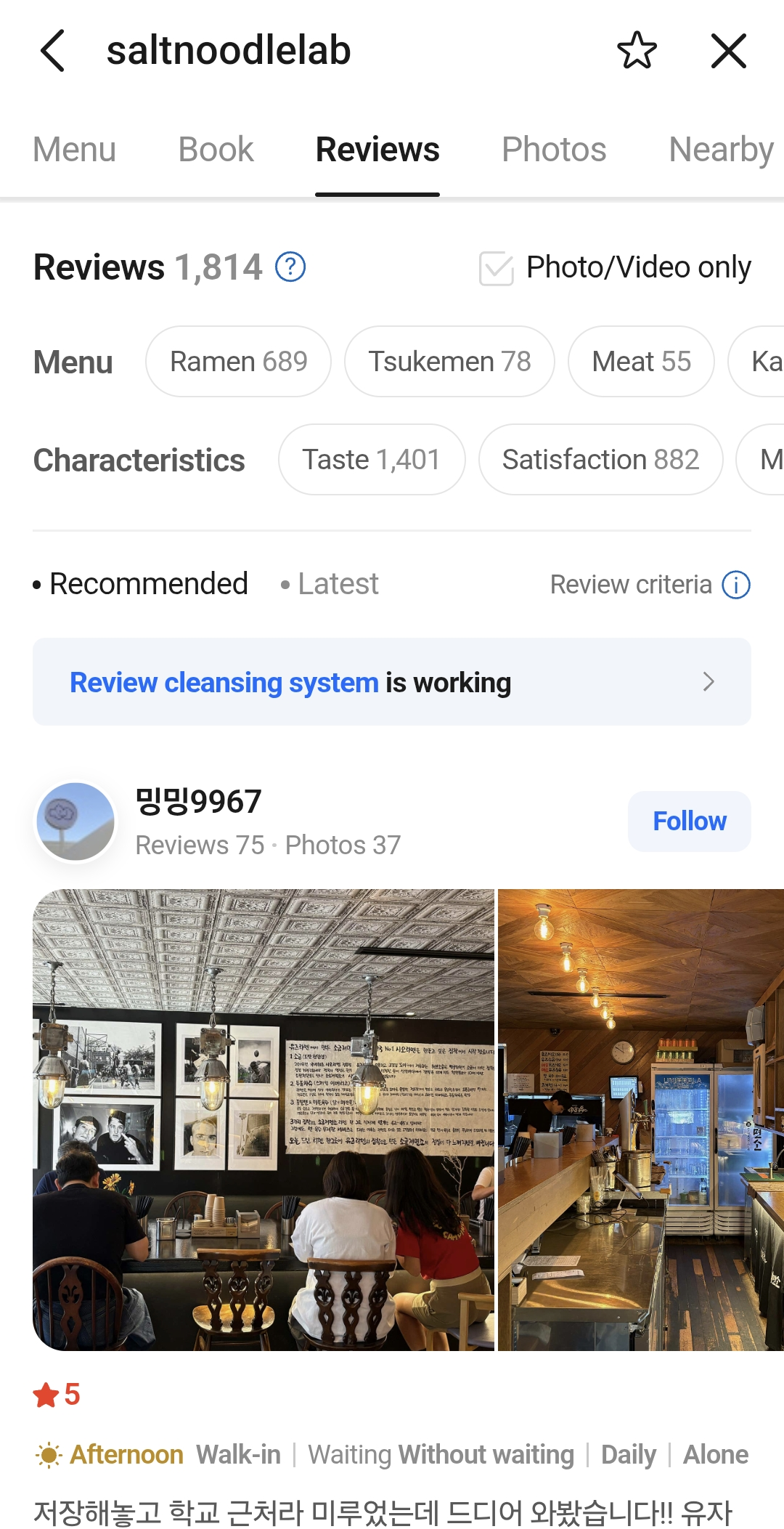
The example screen shows Recommended and Latest sorting, along with menu and characteristic keywords. The restaurant is shown to explain the screen. Changing the interface language does not mean every review’s text will be translated.
When comparing places, use this order:
- Check when the visit happened. The post’s publication date and the date of the meal may differ. Old menu photos and prices may no longer apply.
- Find comments about what you want to order. Feedback on a pork-belly meal tells you something different from a review of the same restaurant’s cold noodles.
- Look for details. Descriptions of texture, seasoning, queues and seating are easier to compare with your preferences than a general compliment.
- Compare several accounts. Look for features repeated by different visitors around the same period.
Follow the links to Korean blog reviews
One useful feature is being able to move from the restaurant listing to a longer Korean blog post. Naver explains that these links are automatically selected from posts containing the business’s map information and meeting its search criteria. A link on a place page does not mean Naver has verified every statement in the post. How Naver provides blog reviews
A longer post may show details a single food photo cannot: what was ordered, the side dishes, the room, parking or a visit’s waiting time. Browser translation can help if you cannot read Korean, although food names and informal expressions may translate awkwardly. Compare the original images with the translated text.
Check two things when you open a blog post:
Does it focus on the restaurant you are researching?
A travel roundup can cover several restaurants in one article. Match the restaurant name and address, then identify the section about that business. Food shown later in the post may belong to another place.
Does it disclose a benefit or sponsorship?
Look for notices about advertising, a hosted meal or complimentary items. A claim that the writer paid personally is useful context, but it does not make the opinion objective. Specific positives and negatives are more helpful than the label alone.
Short visitor reviews can give you recent context; a longer post can explain the meal in more detail. Check that the place, menu and timing match before drawing a conclusion.
Install the app or use the website
NAVER Map is available for Android, iPhone and iPad, and through a web browser. Use the official links below, or search for “NAVER Map” in your app store and check that the developer is NAVER Corp.
| Platform | Official link | Getting started |
|---|---|---|
| Android | NAVER Map on Google Play | Open the official listing and select Install. |
| iPhone / iPad | NAVER Map on the App Store | Open the official listing and select Get. |
| Web browser | NAVER Map website | Open the site and search for a place. |
Set the app to English
The app supports Korean, English, Simplified Chinese and Japanese.
- Tap MY, the profile icon beside the search bar.
- Open the settings gear → Language.
- Select English. On iOS, you may be taken to the device’s NAVER Map language settings.
If the iOS preferred-language option is missing, Naver advises adding a supported language in the device’s Settings → General → Language & Region. Current official language-setting guidance
Naver’s official blog also has an English illustrated guide: How Foreigners Can Use NAVER Maps for Getting Around.
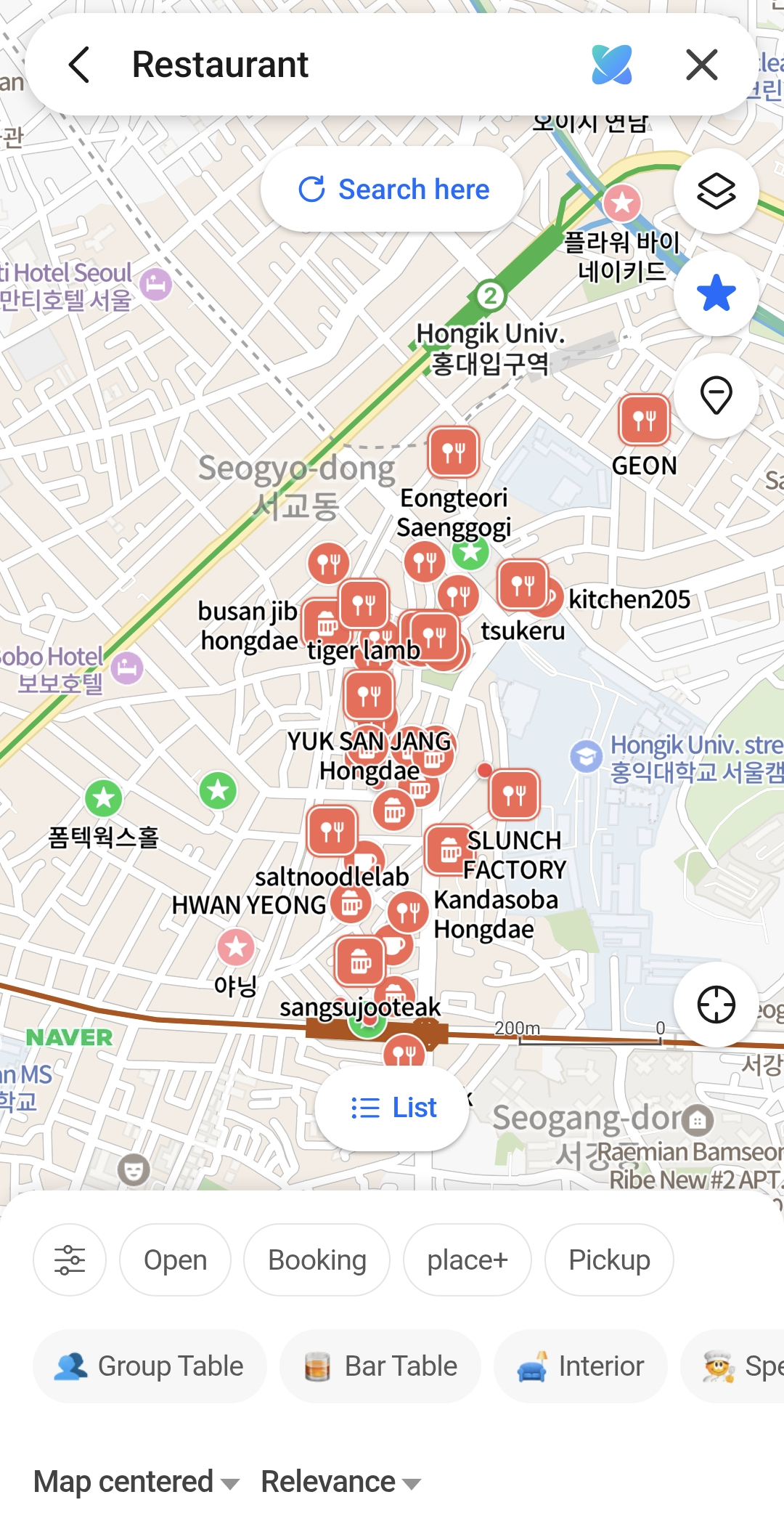
The interface language does not automatically translate every linked blog post. Some menu names and place descriptions may also remain in their original language.
You do not need to learn every feature at once. Before the trip, find your accommodation and one restaurant, then try planning the route between them.
If Korean reviews are difficult to read
Use NAVER Map to match the restaurant, branch and address, check recent opening information and plan the journey.
For restaurant guides in English, browse Pig Out Korea. Each guide brings together restaurant details, summaries of Korean reviews and links to the original posts.
Comments 0